


You're spending money driving traffic to your Shopify store. Some of those visitors buy, but most don't. A/B testing helps you figure out what's causing the gap and fix it with real data instead of guesswork.
But choosing an A/B testing tool for Shopify is harder than it should be. Most testing platforms were built for general websites, and Shopify has its own quirks: themes, Liquid templates, app blocks, checkout restrictions. Tools that work fine elsewhere can cause flickering, slow down your pages, or break entirely when dropped into a Shopify store.
This guide breaks down the actual options available to Shopify merchants in 2026, what each one does well, where they fall short, and how to match a tool to your situation.
Why A/B testing on Shopify is different
Shopify's architecture creates constraints that most generic testing tools weren't designed for.
The platform uses a theme-based system where your storefront's appearance is controlled through a combination of Liquid templates, JSON settings, and theme sections. When you install a third-party testing tool, it typically works by injecting JavaScript into your pages to modify what visitors see. That injection happens after the page starts loading, which creates problems.
The most visible problem is flickering. A visitor lands on your product page, sees your original design for a split second, then watches the page shift as the test variant loads. That flash of original content (FOOC) looks unprofessional and can skew your test results because visitors notice something changed.
Performance is the other issue. External scripts add weight to your pages. Every A/B testing tool that injects code increases load time, sometimes significantly. For a platform where page speed directly affects conversion rate, this tradeoff matters.
Shopify-native tools handle these problems differently. Instead of injecting scripts to modify the DOM after the page loads, they work within Shopify's theme system. The variant is determined before the page renders, so visitors see the correct version immediately with no flicker and minimal performance impact.
The checkout is another constraint worth noting. Shopify restricts access to checkout pages for non-Plus merchants, and even Plus merchants have limitations. If you want to test checkout flows, upsells, or post-purchase experiences, you need a tool specifically built for that access level.
The main approaches to A/B testing on Shopify
Before comparing specific tools, it helps to understand the different technical approaches they use.
Client-side testing is the most common method. The testing tool's JavaScript loads on the page and manipulates what visitors see in their browser. This approach is flexible and works on any website, but it's prone to flickering and adds load time. Most enterprise testing platforms like VWO and Optimizely use this approach.
Theme-native testing works within Shopify's theme editor. Instead of injecting code to change what visitors see, these tools create actual theme variations and route visitors to different versions server-side. The page renders correctly from the start with no flicker. Shoplift, Visually, and Relevant Bits use variations of this approach.
Split URL testing sends different visitors to entirely different URLs. Visitor A sees yourstore.com/product with one design; Visitor B sees yourstore.com/product with a duplicate theme that has different settings. Shopify's native Rollouts feature works this way, as do most theme-level tests.
Each approach has tradeoffs. Client-side testing offers the most flexibility for element-level changes but has performance costs. Theme-native testing is faster and flicker-free but may require more setup for granular changes. Split URL testing is clean but can be cumbersome for small tests.
What to evaluate before choosing a tool
Not every A/B testing tool makes sense for every store. Before comparing features, get clear on what you actually need.
What do you want to test?
Some tools focus on content and layout changes. Others specialize in pricing and offers. A few cover both. If your primary goal is testing whether a different hero image converts better, you need different capabilities than if you're trying to find the optimal price point for your products.
How much traffic do you have?
A/B tests need statistical significance to produce reliable results. If you're running 5,000 sessions per month, you can't test tiny changes and expect meaningful data. Lower-traffic stores need to focus on bigger, bolder tests and may want tools with simpler analytics that don't require a stats degree to interpret.
Do you have developer resources?
Some tools let marketers run tests independently with visual editors and no-code setup. Others offer more power but require JavaScript knowledge or developer support to implement properly.
What's your budget?
Pricing varies wildly in this space. Some tools charge based on monthly traffic, others on features, and a few offer free tiers with limitations. A tool that costs $700/month might be perfect for a store doing $2M annually but absurd for one doing $200K.
Do you need personalization too?
A/B testing and personalization are related but distinct. Testing compares variations to find a winner for everyone. Personalization shows different content to different visitors based on who they are. Some tools do both; others focus on one or the other.
The Shopify A/B testing tools: an honest breakdown
Here's what each major option actually offers, where it falls short, and who it's best suited for.
Shoplift
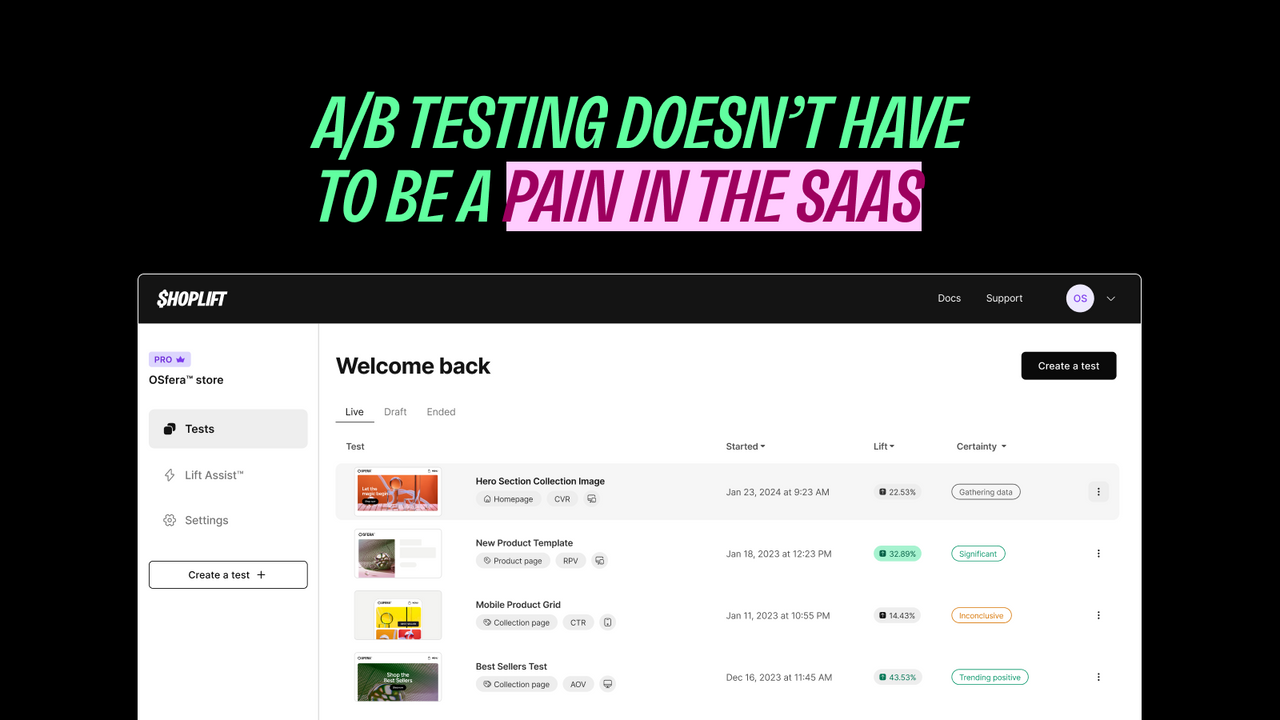
Shoplift is a dedicated Shopify A/B testing platform that's earned a strong reputation for making testing accessible without sacrificing rigor.
What it does well: Shoplift works directly within Shopify's theme editor, which means you create test variations the same way you'd normally edit your theme. Duplicate your template, make changes, and let Shoplift handle the traffic splitting. No external visual editor to learn. The Lift Assist feature analyzes your store and automatically generates test variations based on proven patterns. Sticky add-to-cart buttons, trust badges, inventory counters, all styled to match your existing design. For merchants without dedicated CRO expertise, this feature alone can jumpstart a testing program. Analytics include revenue per visitor, average order value, and conversion rate with 1:1 Shopify order matching. Their statistical engine uses Bayesian modeling to predict winners faster than traditional frequentist approaches.
Where it falls short: Shoplift is focused on content and layout testing. If you need to test pricing strategies or shipping thresholds, you'll need a different tool or an additional one. The platform also doesn't include personalization features; it's purely about finding a single best-performing variant for your entire audience.
Pricing: Starts at $74/month for smaller stores, scaling up to $699+/month based on traffic volume.
Best for: Shopify merchants who want serious A/B testing capabilities without needing a developer or learning a separate platform. Particularly strong for stores focused on CRO through design and content optimization.
Relevant Bits

Relevant Bits combines personalization and A/B testing in a single platform built natively for Shopify's theme editor.
What it does well: The tool works entirely within Shopify's native theme sections, so there's no separate editor to learn, no code injection, and no flicker. You create variations using your existing theme components and the familiar Shopify theme customizer. A/B testing activates automatically when you select multiple variations for any section. The platform tracks impressions, engagement, conversion rate, and AOV for each variant. Where Relevant Bits differs from pure testing tools is the personalization layer. You can target variations based on location, UTM parameters, Klaviyo segments, customer login status, device type, and more than a dozen other signals. This means you can test different experiences for different audiences, not just find a single winner for everyone. The Klaviyo integration is particularly strong: you can pull segments in for targeting and push engagement data back to enrich your email marketing.
Where it falls short: Relevant Bits doesn't do price testing or shipping threshold optimization. It's focused on content personalization and testing, not unit economics. If your primary goal is finding optimal price points, you'd pair it with a tool like Intelligems.
Pricing: $99/month (Starter) or $399/month (Growth), both with 14-day free trials.
Best for: Shopify merchants who want to personalize their store for different audiences while also testing which variations perform best. Particularly strong for brands running multiple ad campaigns and wanting to match landing page content to traffic sources.
Intelligems

Intelligems takes a different angle: it's built around profit optimization rather than pure conversion rate improvement.
What it does well: The standout feature is price testing. Intelligems lets you test different price points across your catalog and measure the impact on revenue and profit, not just conversion rate. A 10% price increase might drop conversion slightly but increase overall profit. Most testing tools can't answer that question; Intelligems can. Shipping threshold testing is another strength. Should your free shipping minimum be $50 or $75? Which drives higher AOV without killing conversion? Intelligems provides data to answer these questions directly. The platform also handles content testing, though that's not its primary focus. Their analytics track 100+ metrics with profit-focused reporting, and they integrate with Klaviyo for segment-based testing.
Where it falls short: The interface has a steeper learning curve than some competitors. Price testing requires understanding their integration approach, which involves updating Shopify prices and using discount functions to show test variants. It works, but it's more complex than pure content testing tools.
Pricing: Starts at $49/month for basic content testing, with Profit Optimization plans at higher tiers for price and shipping tests.
Best for: Brands optimizing for profit margins, not just conversion rate. Particularly valuable for stores considering price changes, testing shipping strategies, or trying to maximize unit economics.
Visually

Visually positions itself as a full-funnel CRO and personalization platform with AI capabilities.
What it does well: The AI-powered features let you generate test variations quickly without starting from scratch. The platform covers the entire shopper journey, including checkouts and post-purchase upsells, which many competitors can't touch. Personalization is integrated alongside testing. You can segment visitors by behavior, catalog interactions, or custom rules and show different experiences to different groups. The analytics use Bayesian methodology and track Shopify-native metrics like conversion rate, AOV, and revenue.
Where it falls short: Some users have reported concerns about data integrity and analytics accuracy. Visually is also positioning itself as a premium solution, which means the hands-on support comes with higher-tier pricing. For straightforward A/B testing without personalization needs, it may be more than you need. It's also not built into the Shopify admin, so all the work you're doing happens off of Shopify in Visually's external app.
Pricing: Free plan available with limitations. Paid plans start around $180/month.
Best for: Brands wanting combined A/B testing and personalization in one platform, particularly those focused on full-funnel optimization including checkout and post-purchase.
VWO (Visual Website Optimizer)

VWO is an enterprise-grade experimentation platform that happens to integrate with Shopify.
What it does well: The feature set is comprehensive. A/B testing, multivariate testing, split URL testing, heatmaps, session recordings, conversion funnels, and personalization all live in one platform. For teams with dedicated CRO specialists, this depth enables sophisticated testing programs. The Shopify integration automatically streams standard events like page views, cart actions, and purchases into VWO without manual setup. Statistical analysis is rigorous, with proper confidence intervals and significance calculations.
Where it falls short: VWO wasn't built for Shopify specifically, which shows. Setup is more complex, the learning curve is steep, and testing requires more configuration than Shopify-native alternatives. Pricing is also structured for enterprise; the entry point is accessible, but costs scale quickly, and each module (Testing, Insights, Personalization) is priced separately. For a Shopify merchant who just wants to test a new homepage layout, VWO is often overkill.
Pricing: Free tier with limited features. Paid plans start at $228/month for 10K monthly tracked users, scaling to $547+/month for Pro features.
Best for: Enterprise Shopify Plus brands with dedicated optimization teams and budget for a comprehensive experimentation platform. Not recommended for small to mid-sized stores or teams without CRO experience.
Convert

Convert has been in the A/B testing space for over 15 years and emphasizes privacy compliance alongside testing capabilities.
What it does well: GDPR compliance is built into the architecture, which matters for stores with European customers or strict privacy requirements. The platform doesn't resell data, is HIPAA-ready, and handles consent properly. Testing features include A/B, multivariate, split URL, and personalization campaigns. The Shopify integration handles revenue tracking and allows price testing on specific products or collections. CRO agencies particularly like Convert for its flexibility across different platforms (it's not Shopify-exclusive) and its transparent, predictable pricing.
Where it falls short: Convert is a general-purpose testing platform, not a Shopify specialist. That means the integration works but isn't as native-feeling as purpose-built Shopify tools. Some users report the visual editor feeling dated compared to newer competitors.
Pricing: Plans start at $99/month, with enterprise tiers up to $420/month. All features are included regardless of plan; pricing scales based on tested users.
Best for: Privacy-conscious brands, EU-based stores with strict GDPR requirements, and CRO agencies managing testing across multiple platforms and clients.
Shopify Rollouts (Native)

Shopify introduced native A/B testing in their Winter '26 Edition. Called Rollouts, it's built directly into the admin at no additional cost.
What it does: Rollouts lets you create theme variations and control what percentage of traffic sees each version. You access it from the theme editor, make your changes, set a traffic split (start at 10%, scale up as you gain confidence), and measure performance through Shopify's built-in analytics. It's designed for safe deployment, gradual rollouts, and basic A/B testing.
What it doesn't do: Rollouts cannot test pricing, shipping rates, or offers. It doesn't support Liquid template changes, only theme customization through the editor. There's no audience segmentation; traffic splits randomly without targeting by device, geography, or customer type. Analytics are basic, with no confidence intervals, no statistical significance calculations, and limited export options. You can only run one rollout at a time on standard plans.
Best for: Shopify merchants who have never tested before and want to start with zero cost and zero setup. Useful for validating major theme changes before full deployment. Not a replacement for dedicated testing tools if you're serious about optimization.
Comparison table
| Tool | Starting price | No-code? | Shopify-native? | What it tests | Flicker risk | Best for |
|---|---|---|---|---|---|---|
| Shoplift | $74/mo | Yes | Yes | Content, layout, themes | None | Pure A/B testing |
| Relevant Bits | $99/mo | Yes | Yes | Content, layouts, sections | None | Dynamic personalization + testing |
| Intelligems | $49/mo | Yes | Yes | Prices, shipping, content | None | Profit optimization |
| Visually | Free tier | Yes | Yes | Full funnel, upsells | None | Testing + personalization |
| VWO | $228/mo | Partial | No | Everything | Low-moderate | Enterprise teams |
| Convert | $99/mo | Yes | No | Content, prices | Low | Privacy-first, agencies |
| Shopify Rollouts | Free | Yes | Yes | Theme changes only | None | Beginners, safe deployments |
How to match a tool to your situation
I want to test content and layout without touching code.
Relevant Bits and Shoplift are the top choices. Both work within Shopify's theme editor with no developer required. Shoplift focuses purely on testing with auto-generated test ideas; Relevant Bits adds personalization so you can test different content for different audiences.
I want to test pricing and shipping strategies.
Intelligems is the clear choice. It's built specifically for profit optimization and handles the complexity of showing different prices to different visitors cleanly.
I need to start free and see if testing is worth it.
Shopify's native Rollouts feature costs nothing and requires no installation. It's limited, but it's enough to validate whether testing drives results for your store. Relevant Bits also offers a free trial to get your testing and personalization started.
I want testing and personalization in one tool.
Relevant Bits or Visually combine both capabilities. Relevant Bits focuses on matching content to audience signals.
What we'd recommend (and why)
We built Relevant Bits because we saw a gap in the market. Most A/B testing tools treat Shopify like any other website, forcing merchants to use external editors and injected scripts that cause flickering and slow down pages. And most personalization tools are either enterprise-priced or require development work to implement.
Our approach works directly inside the Shopify theme editor using your existing theme sections. When you want to test two hero banners against each other, you create both variations in the customizer you already know and select them both. That's it. The testing infrastructure handles everything else.
But we're clear about what we don't do. If you need to test pricing strategies, Intelligems is purpose-built for that. If you need enterprise-grade analytics with heatmaps and session recordings, VWO delivers capabilities we don't match. If your only goal is pure A/B testing without personalization, Shoplift is excellent.
The right tool depends on what you're trying to accomplish. For brands that want to personalize their store for different audiences and test which variations convert best, Relevant Bits makes that workflow simple. For brands with different priorities, other tools will serve you better.
FAQ
What is the best A/B testing app for Shopify?
There's no single best option for everyone. Shoplift and Relevant Bits are excellent for content testing with no-code setup. Intelligems is good for price and shipping optimization. VWO and Convert offer more power for enterprise teams. The right choice depends on what you want to test and what resources you have.
Can I A/B test my Shopify checkout?
Checkout testing is restricted on Shopify. Plus merchants have more access through checkout extensibility, but standard plans can't modify the checkout experience. Tools like Visually offer some checkout testing capabilities for eligible stores.
Do A/B testing tools slow down my Shopify store?
Tools that inject external JavaScript add some load time. The impact ranges from negligible to noticeable depending on implementation. Shopify-native tools like Shoplift, Relevant Bits, and Shopify Rollouts avoid this issue by working within the theme system rather than adding scripts.
How much traffic do I need to run meaningful A/B tests?
Most experts recommend at least 1,000 conversions per variation for statistical significance, which translates to tens of thousands of visitors for a typical 2-3% conversion rate. Lower-traffic stores can still test, but they need to focus on bigger changes and run tests longer. Some tools offer statistical methods that reach significance faster with smaller samples.
What's the difference between A/B testing and personalization?
A/B testing compares two or more versions of something to find a single winner for everyone. Personalization shows different content to different visitors based on who they are or where they came from. Testing finds the best option; personalization applies different options to different segments. Some tools, like Relevant Bits, combine both approaches.
How long should I run an A/B test?
At minimum, run tests for one to two full business cycles, typically two to four weeks, to account for day-of-week variations in traffic patterns. The test should continue until you reach statistical significance, which depends on your traffic volume and the size of the difference you're measuring.
Can I use Shopify's native Rollouts instead of a paid tool?
Rollouts is useful for theme-level testing and safe deployments, but it has significant limitations: no price testing, no audience segmentation, no Liquid changes, basic analytics without statistical significance, and only one active test at a time. It's a good starting point, but serious optimization programs will outgrow it quickly.